Why Do Databases Slow Down as Data Grows?
A beginner-friendly explanation of database slowdowns through indexes, connection pools, transactions, and locks.
High-Traffic Systems Series · 3/7
How Does a Service Survive One Million Users? — What I learned while studying high-traffic systems and databases
Imagine walking into a library that holds one million books. You know the exact title you want, but you do not know where the book is.
With a hundred books, checking one shelf after another might be acceptable. At one million, the same method turns a simple lookup into an enormous amount of work.
Libraries solve this problem with a catalog that connects a title to a location. A database uses an index for a similar purpose: it provides a search structure that can lead the database toward the relevant rows.
This raises an important question. Does a database inevitably become slow as it stores more data?
Not necessarily. The total data size matters, but it is rarely the whole explanation. The more useful questions are how much work one request must perform and how long that request must wait for shared resources.
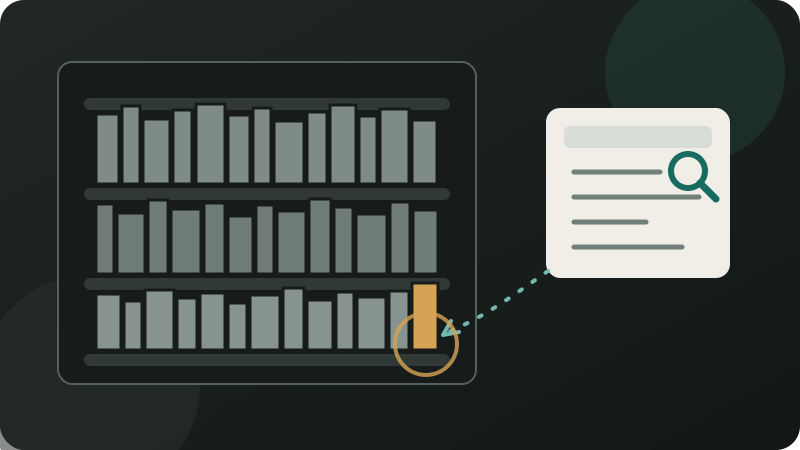
A catalog does not remove any books. It reduces the area a reader needs to search by pointing toward a useful starting place.
This article is a learning note written in my own words after studying high-traffic systems and databases. It does not claim that I have operated a production service with one million users.
The English editions of parts 1 and 2 are not published yet, so I have not created links to pages that do not exist.
Cause one: a query has to read too much data
Suppose an application needs to find a user by email address.
SELECT *
FROM users
WHERE email = 'student@example.com';
Without a suitable index on email, MySQL may need to examine many rows before it finds the match. A Full Table Scan means scanning the table rather than using a selective access path to narrow the search.
This resembles reading the title on every book until the right one appears. As the table grows, the amount of work can grow with it.
With an appropriate index, the database can follow a separate structure that connects indexed values to row locations. It may be able to skip most unrelated user records instead of checking them in sequence.
The word “may” matters. An index does not guarantee a one-step lookup or an improvement for every query. The optimizer considers the query conditions, the distribution of values, the order of columns in an index, and how much of the table the query is expected to return.
For example, an index on a column that contains nearly the same value in every row might not narrow the search very much. A query that requests a large part of the table may also be better served by a different plan.
Target: student@example.com
The useful question is not simply, “Does this table have an index?” It is, “Does this query have an access path that reduces the amount of data it must inspect?”
An index is not free
A library catalog must change whenever a new book arrives, an old book leaves, or a book moves to another shelf. Maintaining the catalog is additional work.
Database indexes have the same trade-off. They can help the database find specific values, return certain sorted results, and process some range queries with less searching. They also consume storage.
When rows are inserted, updated, or deleted, the relevant index entries must change as well. A collection of unused indexes can make writes more expensive and leave operators with more structures to monitor and maintain.
This is why “index every column” is not a sound tuning strategy. Index choices should follow real query patterns and the shape of the data.
The EXPLAIN statement shows the execution plan MySQL expects to use for a query. It can reveal the table access order, possible indexes, the selected index, and estimates about the rows involved.
Those estimates are not the same as an observed response time. A useful investigation compares the plan with actual latency and the amount of data examined before and after a change.
Cause two: there are not enough usable doors
Picture a school counseling office with ten counselors. If one hundred students arrive at once, only a limited number can have a conversation immediately. Everyone else waits, even if each conversation is short.
A database connection is a channel an application can use to send work to a database. Opening a new connection for every query repeatedly pays the network and setup costs.
A connection pool keeps a controlled set of connections ready for reuse. A request borrows one, performs its database work, and returns it for another request.
If every connection is busy, a new request waits for one to become available. The SQL statement itself might be fast, but the user still experiences the time spent waiting before that statement begins.
Making the pool much larger is not a universal fix. Adding hundreds of counseling-room doors does not create hundreds of counselors.
More connections can allow more queries to compete for the same CPU, memory, and storage. MySQL also needs resources for connected clients, and excessive concurrency can add scheduling and resource pressure rather than useful throughput.
Pool size therefore cannot be chosen from the traffic of a single application instance alone. A team needs to consider the combined connections from every instance, how long each request holds a connection, the query workload, and the concurrency the database can sustain under its actual resource limits.
The goal is not the largest pool. It is a bounded pool whose waiting time and database load remain acceptable for the workload being measured.
Cause three: requests want to change the same data
Now imagine that a school store has one drink left. Two students press the purchase button at almost the same moment.
If both requests read “one item available” and update the stock independently, the system may promise one item to two buyers. Speed would be meaningless if the data became wrong.
A transaction treats a related set of database operations as one complete unit of work. Checking stock, reducing it, and recording an order should succeed together. If the sequence fails partway through, the database must avoid leaving only half of the intended change behind.
A lock coordinates access when concurrent operations would conflict. While one transaction changes the remaining stock, another transaction that needs an incompatible change may have to wait.
A simplified sequence looks like this:
- One item remains in stock.
- Two purchase requests arrive together.
- One transaction reads and updates the stock first.
- The other request waits for the conflicting lock to be released.
- It then sees the new stock value and can report that the item is sold out.
The wait protects correctness. It becomes a performance problem when many requests target the same row, when transactions hold locks longer than expected, or when one transaction includes far more work than necessary.
Waiting is sometimes the price of preserving correct data. The problem begins when that wait becomes longer or more widespread than the system was designed to tolerate.
A deadlock occurs when transactions each hold a resource the other needs, leaving neither able to continue. InnoDB can detect deadlocks and roll one transaction back, so application code still needs a safe way to handle that outcome.
What to inspect before changing the architecture
A doctor does not schedule surgery simply because a patient says, “I feel slow.” The first step is to locate the source of the problem.
The same discipline applies to a database investigation:
- Query latency: Which statements are slow, and when does the delay appear?
- Rows examined versus rows returned: Did the database inspect a large amount of data to return a small result?
- Connection-pool wait time: Are requests delayed before they can even send SQL?
- Lock wait time: Are transactions blocked by changes that are still in progress?
- CPU, memory, and storage activity: Which resource is busy while the slowdown occurs?
- Slow Query Log: Which statements repeatedly exceed the chosen latency and row-examination thresholds?
EXPLAINplan: Which access order and search method does the optimizer expect to use?
These signals describe different kinds of work and waiting. A slow response attributed to “the database” might actually spend most of its time waiting for a pooled connection. Another might start immediately but read far more rows than it returns. A third might be blocked behind a transaction that is holding a lock.
Only after locating that delay should a team compare remedies such as changing a query, adding or removing an index, shortening a transaction, adjusting concurrency, or introducing a cache.
Sharding means dividing data across multiple databases. It can be useful at a scale where one database is no longer the right boundary, but it introduces routing, cross-shard queries, rebalancing, and failure-handling problems.
Sharding a modest database does not repair an inefficient query. It can leave the original problem in place while multiplying the number of systems that must be operated.
Common fixes that can make the problem harder
Several responses sound reasonable until their costs are included.
- Index every column: writes become more expensive, storage grows, and many indexes may never help a real query.
- Make the connection pool as large as possible: the database may receive more concurrent work than its resources can process efficiently.
- Add a cache before measuring: lock contention or slow writes remain, while cache invalidation introduces a new consistency problem.
- Shard as soon as data grows: operational complexity arrives before the original bottleneck has been identified.
- Watch only average latency: a small group of requests can wait much longer for connections or locks while the average still looks healthy.
Technology should follow the diagnosis. First ask whether a request reads too much, waits for a connection, or waits for another transaction touching the same data.
Measure work and waiting, not just table size
The main ideas fit into three points:
- A large table can still support efficient lookups when a query has an appropriate access path.
- Indexes, connections, transactions, and locks each protect or accelerate something, but each also consumes storage, resources, or waiting time.
- Before adding infrastructure, measure how much data a request examines and where it waits.
A database does not become slow merely because it contains a lot of data. It slows down when requests must read too much of that data, when too many requests compete for finite processing capacity, or when concurrent changes need the same data and must be coordinated.
In the next article, we will explore why a service may use Redis, Elasticsearch, or MongoDB instead of asking a single relational database to do everything.
Part 4 is not published yet, so this preview intentionally has no link.